Admin: Alert Matrix
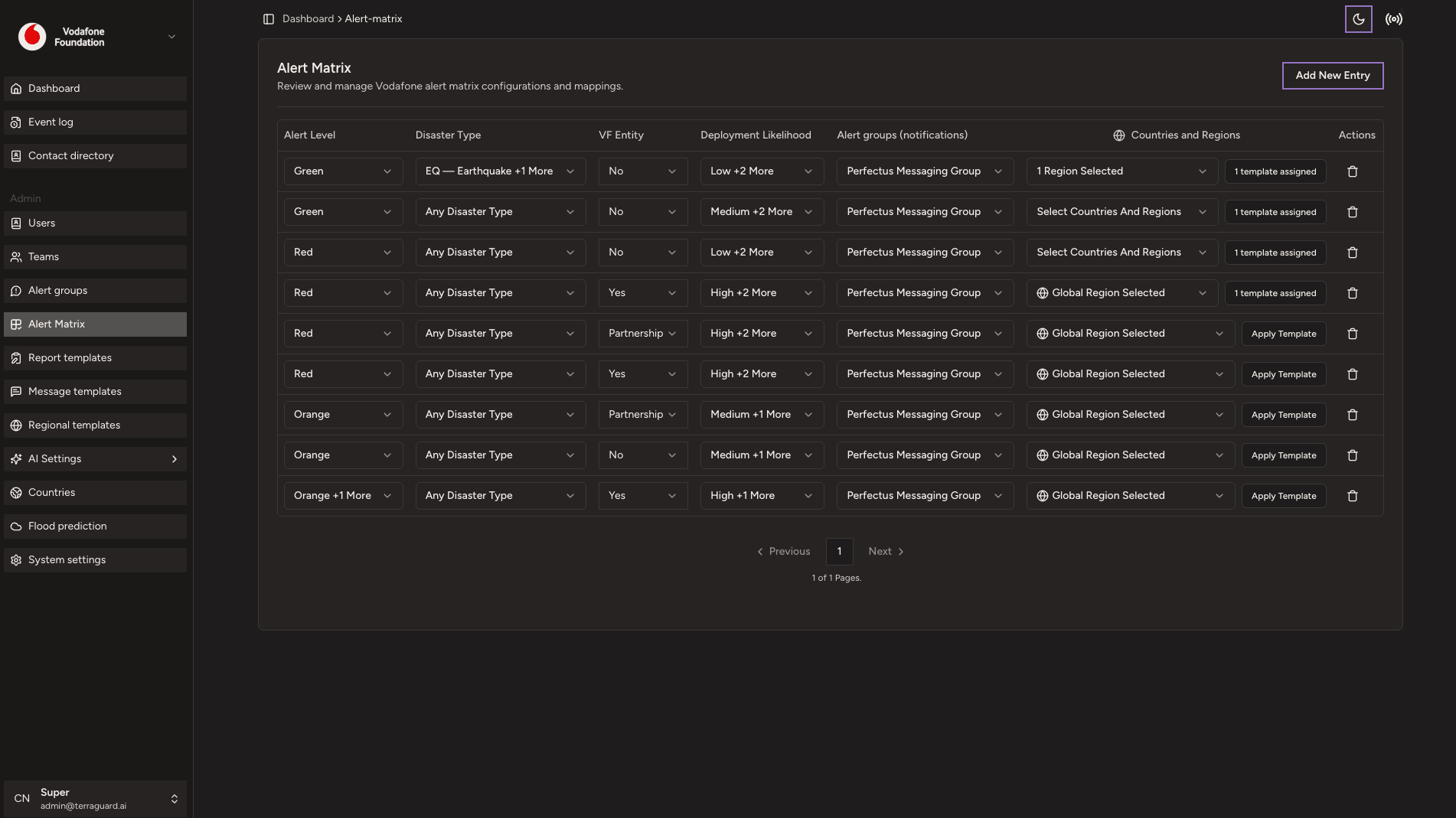
The Alert Matrix is the core configuration that determines which alert groups are notified for which types of events and at which severity level. It maps…
The Alert Matrix is the core configuration that determines which alert groups are notified for which types of events and at which severity level. It maps combinations of event type and alert level to specific alert groups.
Understanding the Matrix
The matrix is a two-dimensional grid: rows represent event types (Earthquake, Tropical Cyclone, Flood, Volcano, Drought, Wildfire) and columns represent alert levels (RED, ORANGE, GREEN). Each cell specifies which alert groups are triggered when an event of that type reaches that alert level.
How the Matrix Works
When a new event is ingested or an existing event changes alert level, the notification engine looks up the event type and alert level in the matrix, identifies the assigned alert groups, checks country configurations to confirm operational relevance, filters by each team's individual preferences, and delivers notifications through the configured channels.
Configuring the Matrix
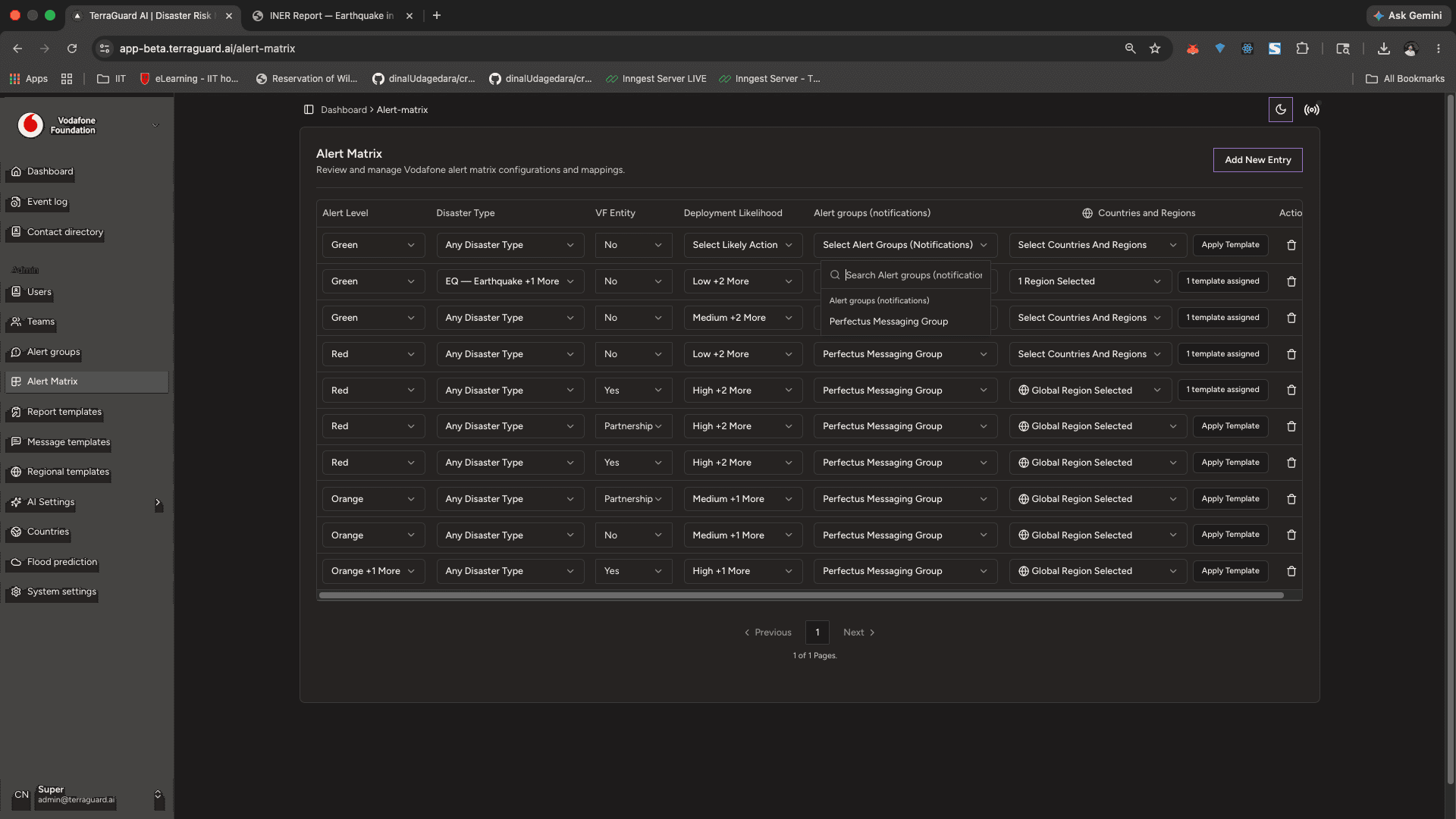
To configure a matrix cell:
- Locate the intersection of the event type and alert level you want to configure.
- Click the cell to open the rule editor.
- Add or remove alert groups for that cell.
Admin: Alert Groups
Alert Groups define which contacts or teams receive notifications when an alert is triggered. You can create multiple groups for different event types,…
Admin: Message Templates
Message Templates define the content of alert notifications sent via email or Telegram. Templates support dynamic placeholders that are automatically…