Admin: Message Templates
Message Templates define the content of alert notifications sent via email or Telegram. Templates support dynamic placeholders that are automatically…
Message Templates define the content of alert notifications sent via email or Telegram. Templates support dynamic placeholders that are automatically filled with event-specific data at send time.
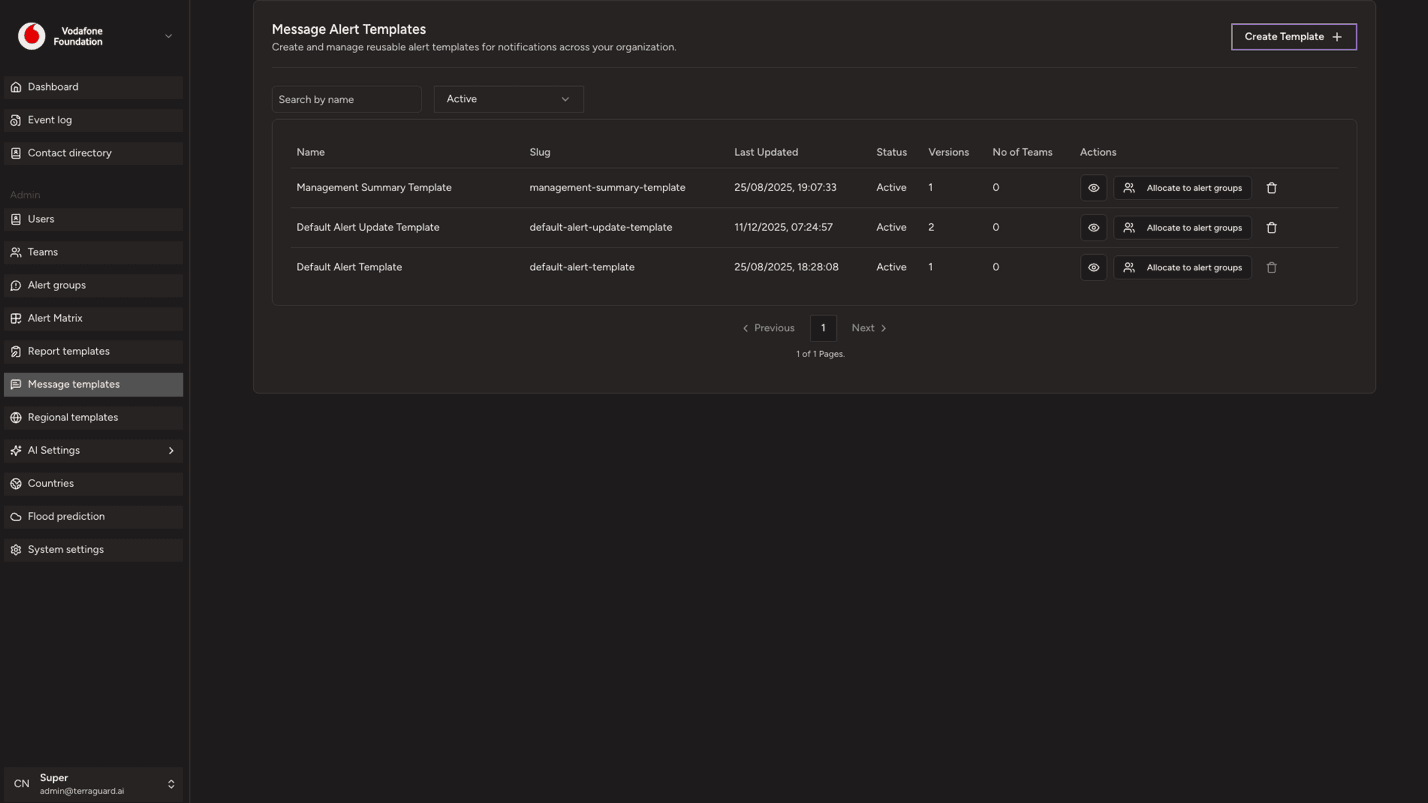
Creating a Message Template
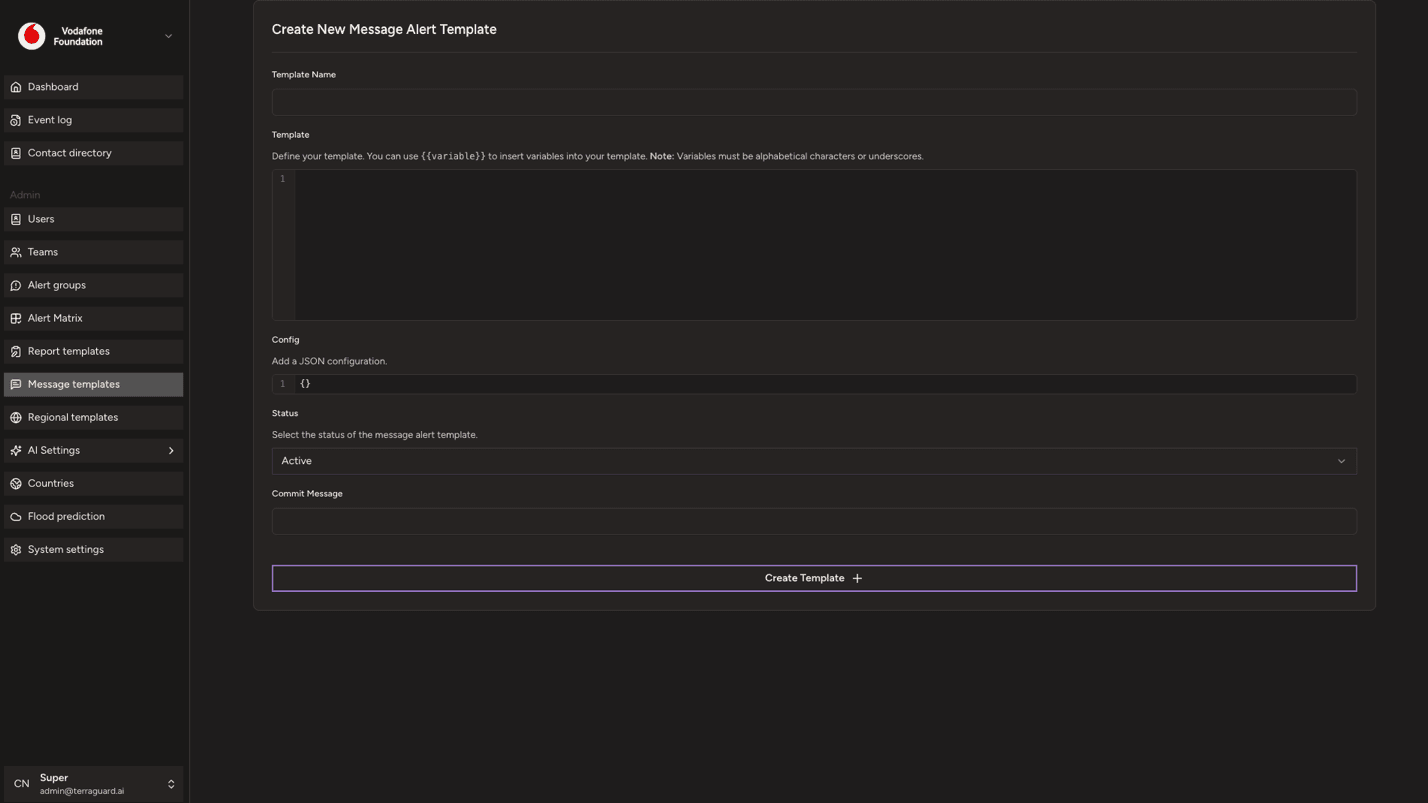
To create a message template:
- Click Create Template.
- Enter a name and define how the teplate should look like in the template section
- Click Save.
Assigning Templates to Alert Groups
Message templates are linked to alert groups. When creating or editing an alert group (Section 9), select the appropriate message template for each notification channel. The selected template determines the format of every notification sent by that group.
Admin: Alert Matrix
The Alert Matrix is the core configuration that determines which alert groups are notified for which types of events and at which severity level. It maps…
Admin: Region Templates
Region Templates allow you to define custom geographic scopes that can be attached to the Alert Matrix. They let you apply alert rules to a defined set of…