Admin: Region Templates
Region Templates allow you to define custom geographic scopes that can be attached to the Alert Matrix. They let you apply alert rules to a defined set of…
Region Templates allow you to define custom geographic scopes that can be attached to the Alert Matrix. They let you apply alert rules to a defined set of countries — either a broad region with specific exclusions, or a precise list of individual countries.
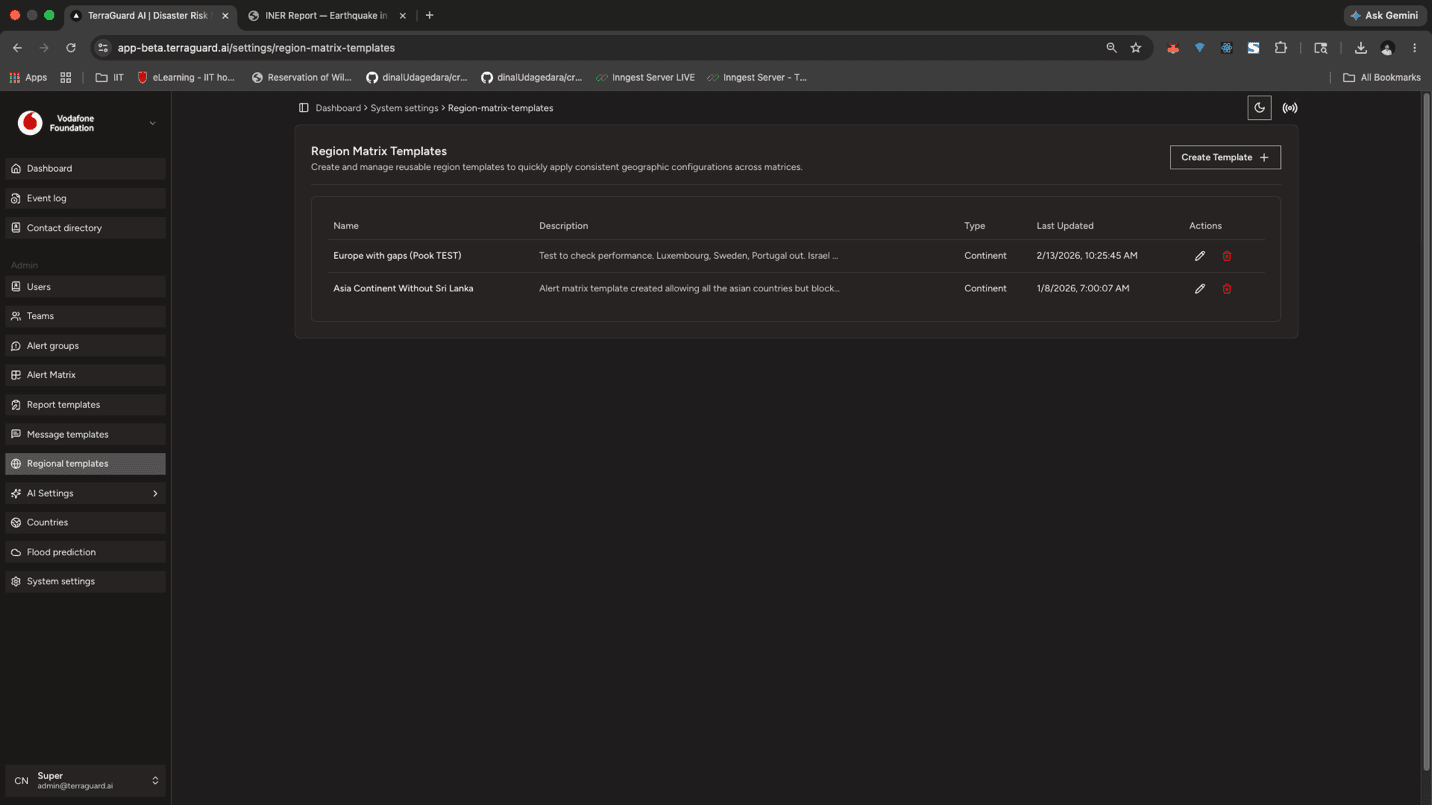
How Region Templates Work
A region template defines a named geographic scope. When attached to a matrix cell, the alert rule only applies to events that occur within the countries defined by that template. This allows fine-grained control — for example:
- Create a template called Asia that includes all Asian countries except Sri Lanka. Attach it to a RED Earthquake matrix cell to notify a team about red-alert earthquakes anywhere in Asia except Sri Lanka.
- Create a template called Pacific Islands that lists only specific island nations. Attach it to a cyclone matrix cell to notify a team only about events in those countries.
Templates can be reused across multiple matrix cells, so a single regional scope definition can drive notifications across multiple event types and alert levels.
Creating a Region Template
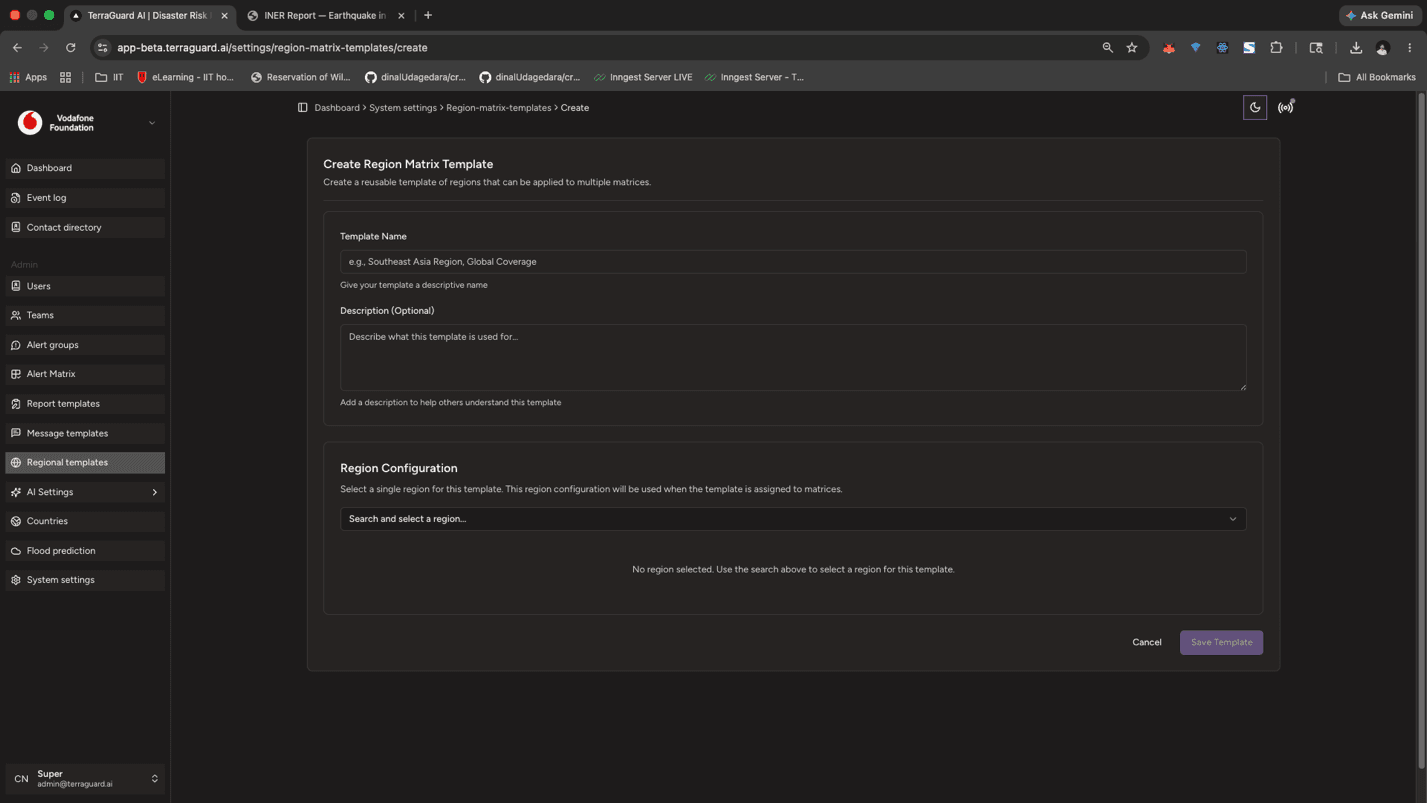
To create a region template:
- Click Create Region Template.
- Enter a template name (e.g., Asia, Pacific Islands, Sub-Saharan Africa).
- Select the countries to include, or select a region and then remove specific exclusions.
- Click Save.
Attaching Templates to the Alert Matrix
Once saved, open the Alert Matrix and edit any cell. You can attach one or more region templates to a cell so that the alert rule is scoped to only those regions. Events outside the attached regions will not trigger that cell's alert groups.
Admin: Message Templates
Message Templates define the content of alert notifications sent via email or Telegram. Templates support dynamic placeholders that are automatically…
Admin: AI Settings
The AI Settings section is accessible only to Super Admins and exposes the internal agentic platform — the agents, tools, LLM providers, and job execution…