Contact Directory
The Contact Directory stores the details of individuals and organizations who can be contacted in relation to an event. Contacts are added in two ways:…
The Contact Directory stores the details of individuals and organizations who can be contacted in relation to an event. Contacts are added in two ways: manually by platform users, or automatically extracted during the news crawl step when the AI pipeline identifies organizations and contact information mentioned in news articles and situation reports.
Viewing Contacts
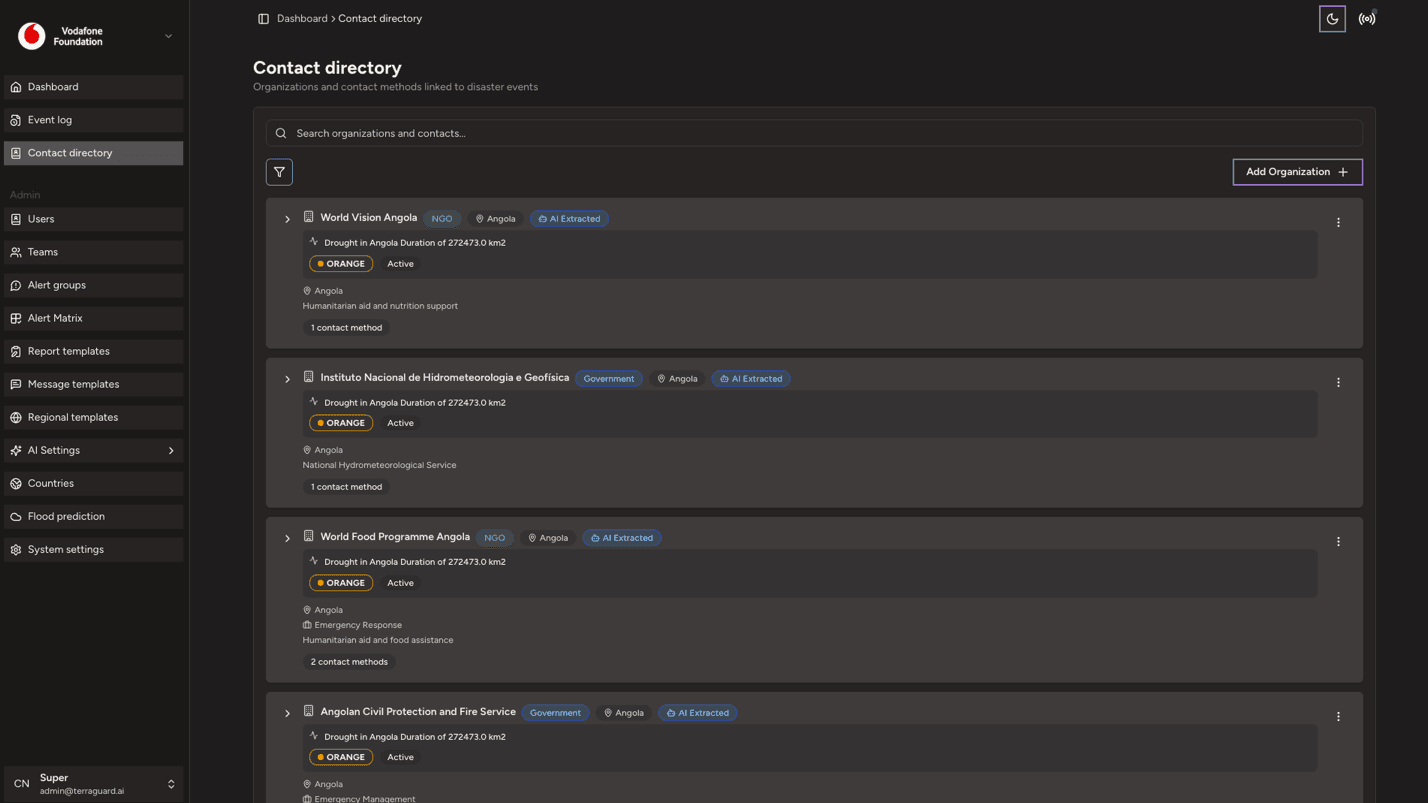
The directory lists all contact organizations with their names, types (Government, NGO, UN Agency, Military, etc.), associated events, extracted contact information, and the source documents where they were mentioned. Use the search bar to find a specific contact.
Adding a Contact
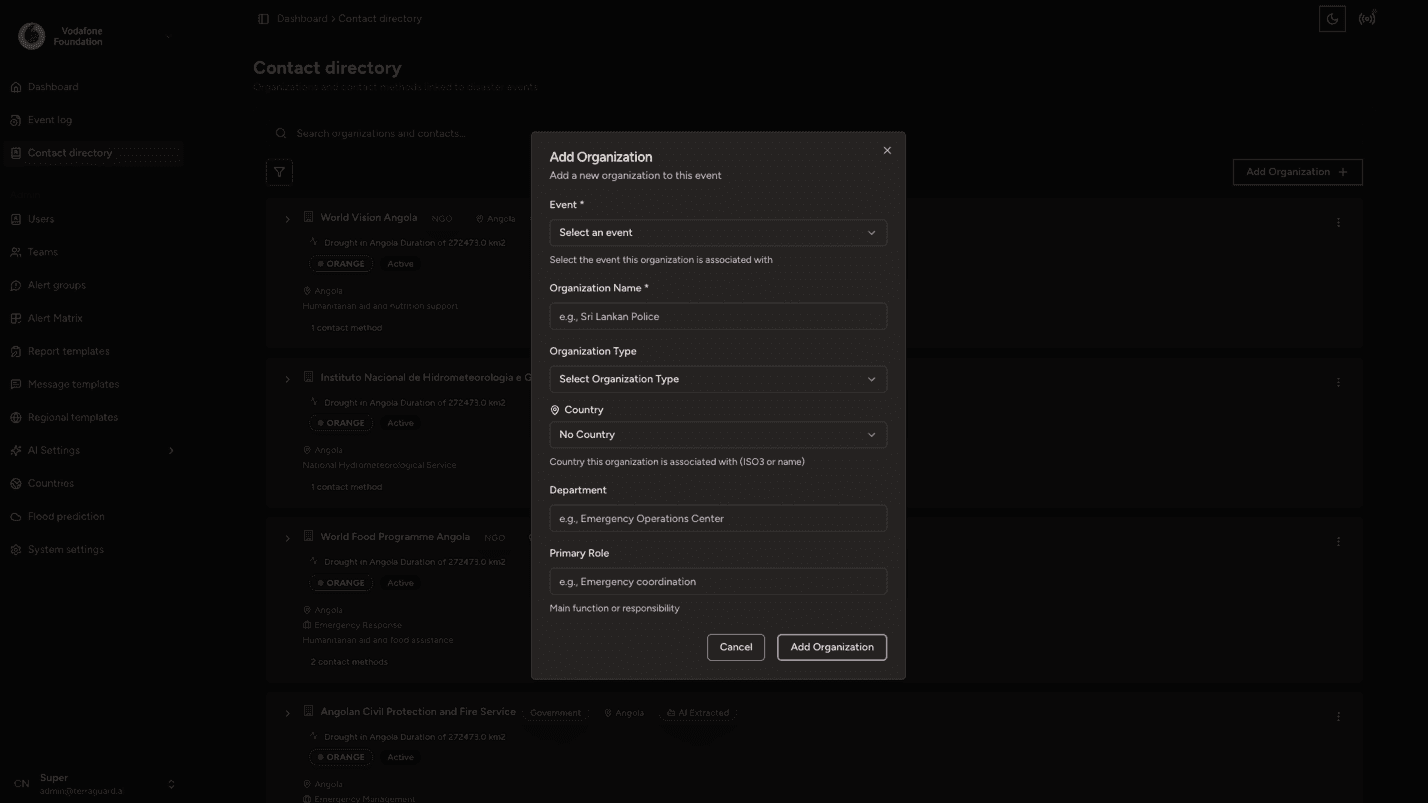
To manually add a new contact:
- Click the Add Contact button.
- Fill in the contact details (name, email, phone number, role, region).
- Click Save to add the contact to the directory.
Contacts can also be automatically extracted from knowledge base content. When content is crawled and indexed for an event, the AI extraction pipeline identifies organisation names, roles, and available contact information and adds them to the directory.
Editing and Deleting Contacts
To edit a contact, click the edit icon next to their name, update the relevant fields, and click Save. To delete a contact, click the delete icon and confirm the action.
Emergency Contacts
For active disaster events, the system extracts and highlights emergency-specific contact information: hotline numbers from official advisories, evacuation coordination contacts, search and rescue operation contacts, and humanitarian coordination desk numbers. These are surfaced prominently on the event detail page when available.