Reports and Notifications
TerraGuard provides two complementary systems for communicating event information to response teams: AI-generated reports for comprehensive situational…
TerraGuard provides two complementary systems for communicating event information to response teams: AI-generated reports for comprehensive situational analysis, and automated notifications that deliver timely alerts through email and Telegram.
AI-Generated Reports
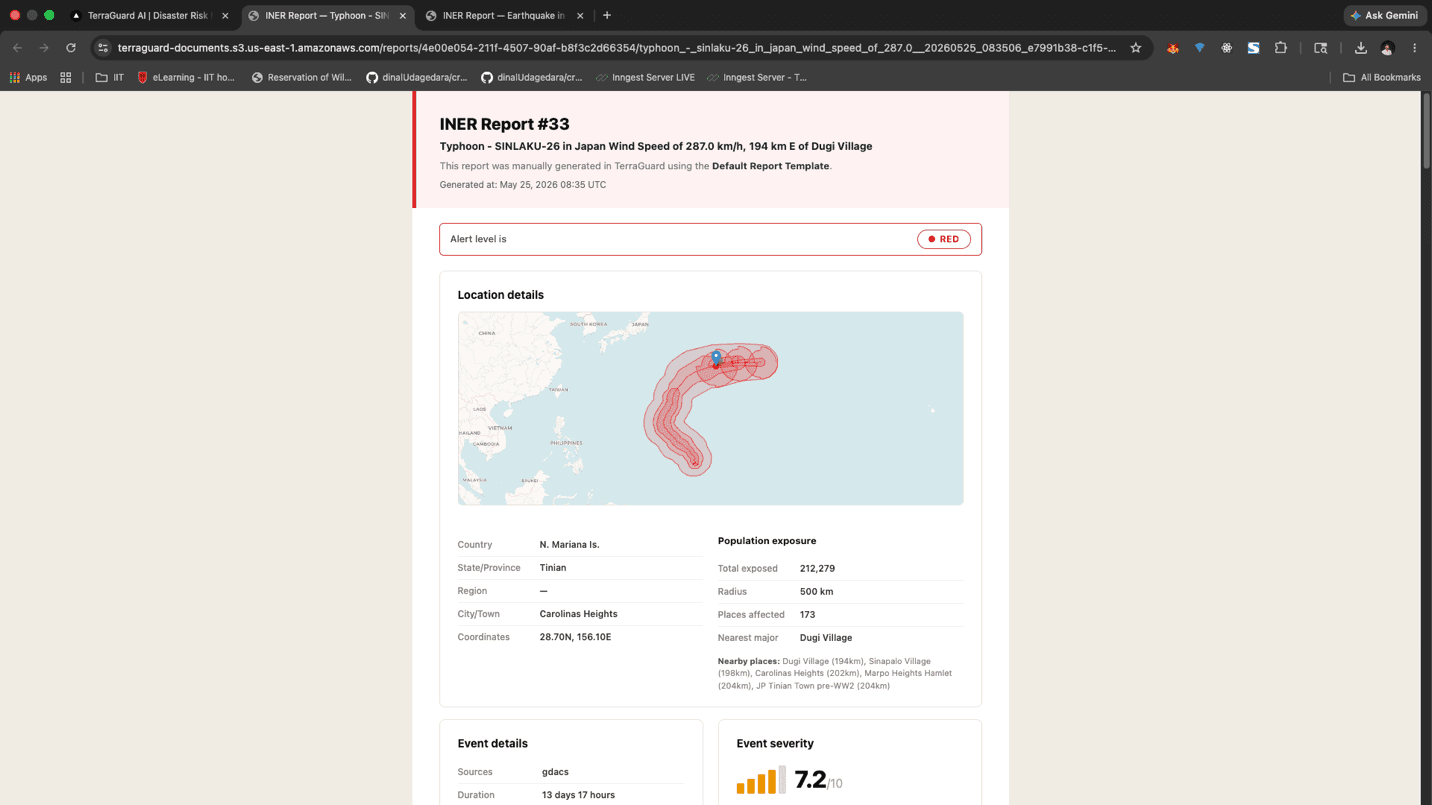
Reports are generated by an AI agent that uses the ReAct (Reasoning + Acting) pattern. The agent has access to five MCP (Model Context Protocol) tool servers and iteratively researches and compiles information rather than relying on a static prompt. The five tools are: Database Search, Vector Search, Document Retrieval, GeoPop (population exposure), and Web Links.
Generated reports follow a standardised 10-section structure: Executive Summary, Event Details, Timeline, Impact Assessment, Population Exposure, Response Actions, Situation Analysis, Access and Constraints, Outlook and Forecast, and Sources and References.
Automated Notifications
The notification engine evaluates your organisation's Alert Matrix and country configurations to determine which teams should receive alerts. Notifications are sent in several scenarios:
- New Event — a disaster event is first detected above your organisation's threshold
- Scheduled Follow-up — automatic updates at +2 hours, +12 hours, and +24 hours after event onset
- Manual Trigger — a team member manually sends a notification to their team while generating a report
Email Notifications
Email notifications use a templated format (assigned to their respective alert group) including the event title, type, alert level with colour coding, a location map thumbnail, key measurements, affected population summary, latest AI summary excerpt, and links to the full event detail page and report.
Settings: General
The General settings page allows Admins to configure organisation-wide settings. It has three tabs: General, Filter Configurations, and Service Health.
Appendix
For technical support or to report a bug, contact your system administrator or reach out to the TerraGuard AI support team via the platform's support…